Submit: Submission Checklist and Save Protocol
Panel Tab Options:
In each panel, tabs are visible at the top of the window to enable the user to move to another panel, to perform specific experiment subtasks.
General: A panel whose primary purpose is to specify the experiment run ID (a description string), select a parent project name, and possibly change data source (database or local disk) or database investigator name.
Lab/Rotor: A panel whose primary purpose is to select the Laboratory, Rotor, and Calibration values for the experiment.
Speeds: A panel whose primary primary purpose is to specify one or more speed steps. For each step, speeds and durations may be given.
Cells: A panel whose primary purpose is to select the centerpieces (or counterbalance) for the cells, along with a quartz/sapphire windows selection.
Solutions: A panel whose primary purpose is to specify the solution to be used in each cell/channel.
Optics: A panel whose primary purpose is to select the optical system used to scan.
Range: A panel whose primary purpose is to select the wavelength ranges and cell radius measured.
Submit: A panel whose primary purpose is save and upload the protocol to the Optima/Instrument and database.
Submit Panel:
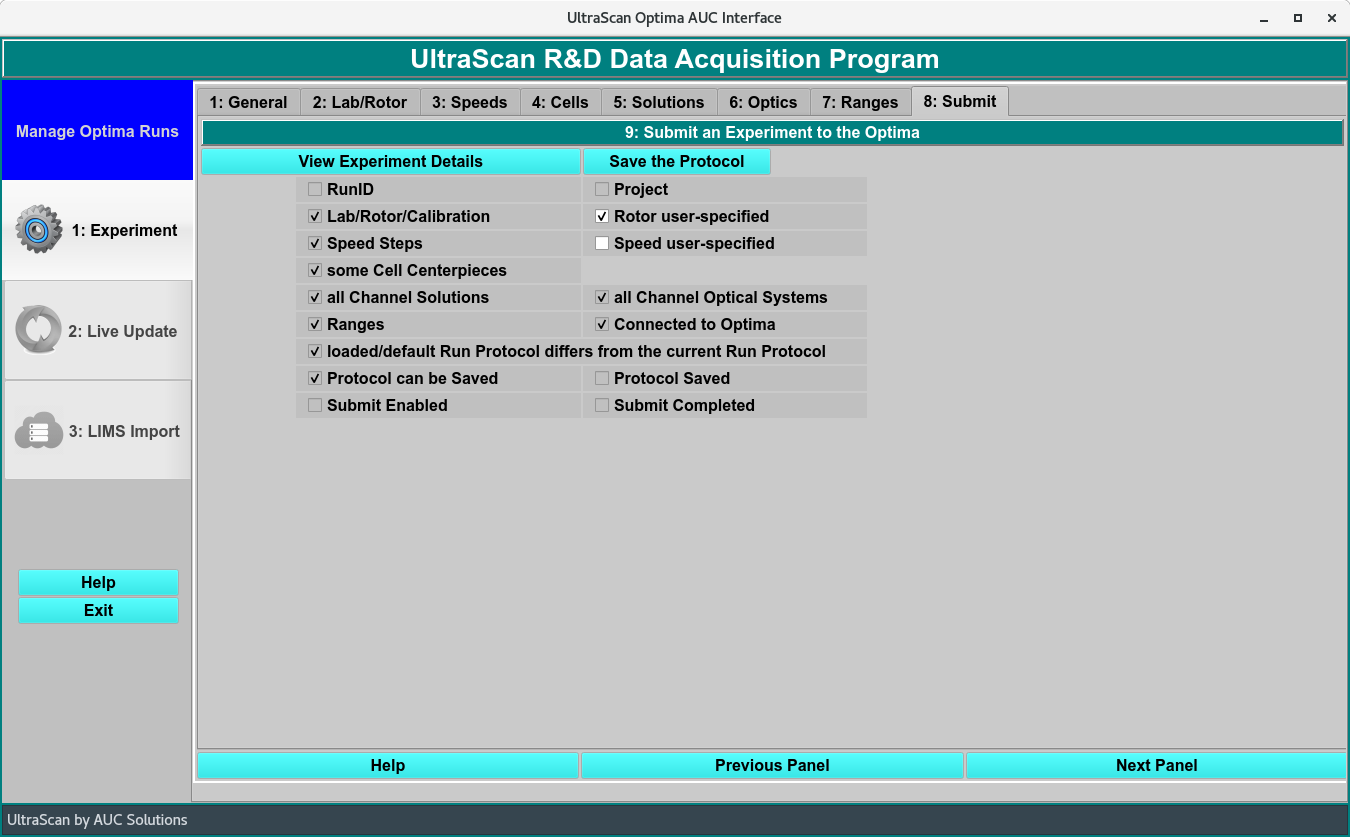
Submission Panel
Submit Functions:
View Experiment Details |
Once all the Panels have been filled out, the details of the experiment can be viewed in a Details dialog. |
Save the Protocol |
Click to save the protocol once all the check ark boxed are checked. |
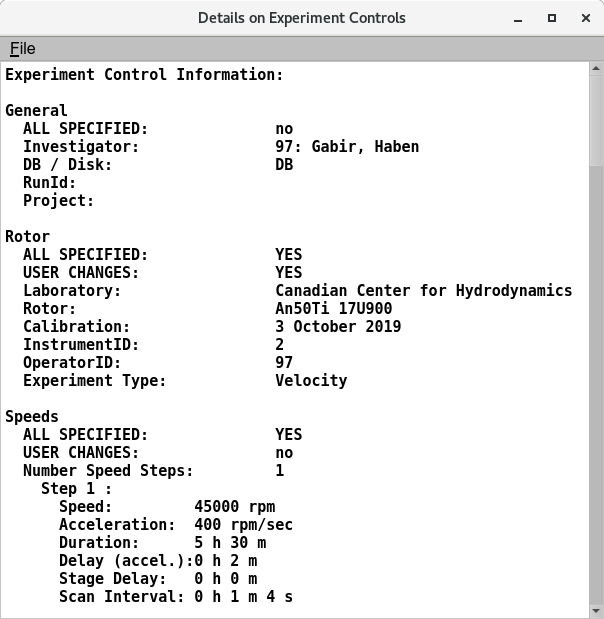
Experimental Details in the Submission Panel
Checklist to Save:
RunID
Project
Lab/Rotor/Calibration
Rotor user-specified
Speed Steps
Speed user-specified
Some Cell centerpieces
All Channel Solutions
All Channel Optical Systems
Ranges
Connected to Optima
loaded/default Run Protocol differs from the current Run Protocol
Protocol can be Saved
Protocol Saved
Submit Enabled
Submit Completed